
Trainer Logo

Silvera Travel Platform

Your Preferred Travel Solution — Step-by-Step Training Guide

Click anywhere or press Space

Silvera Travel : Training Guide
1 / 16
Logo
✈️ Travel & Tour Platform

Silvera Travel

Your Guaranteed, Unforgettable, and Enjoyable Trips — A Step-by-Step Training Guide
📋 What You'll Learn

Training Agenda

🚀 Introduction to your new income stream
📱 Simple steps to create a booking and serve your clients
💰 How to add custom markups to maximize your profits
💳 How to top up your Travel and Tour Wallet quickly
📢 Effective tips on Social Media Advertising to boost your sales
💳 Wallet Top-Up

How to Top Up Your Wallet

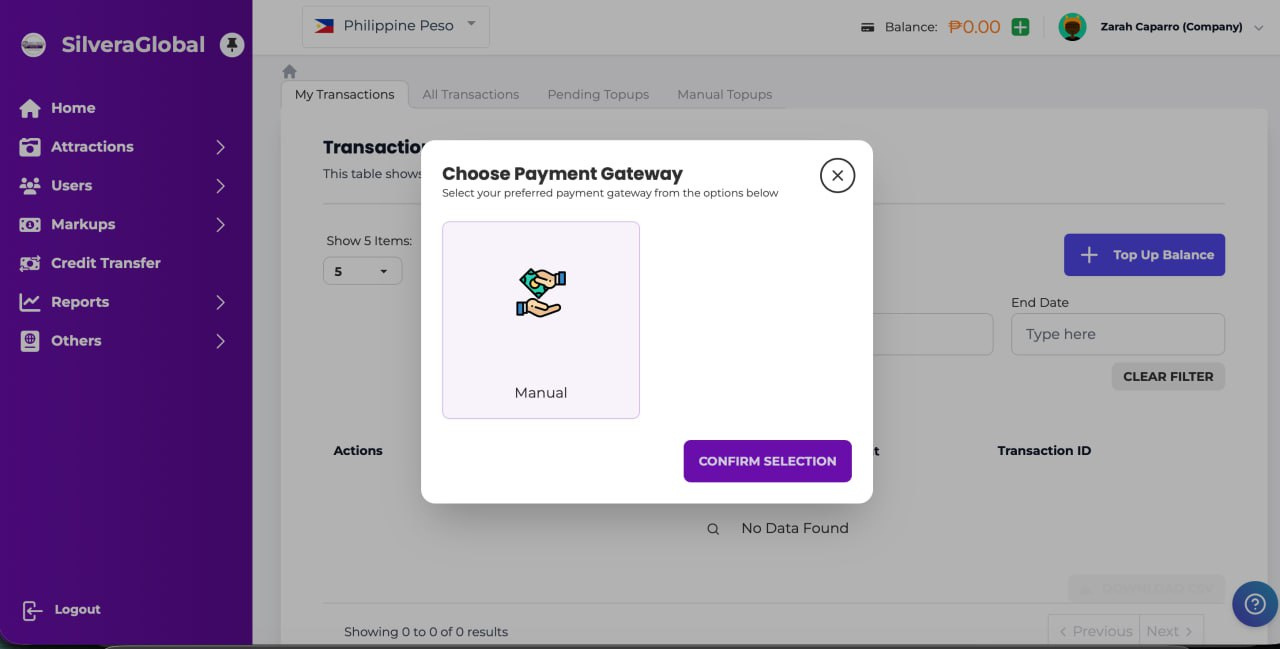
1➕ Click the + sign on your dashboard to start the top-up process
2💰 Select 'Top Up Balance' from the options
3🏦 Choose your Payment Gateway — select 'Manual' for bank transfer
4📝 Click 'Confirm Selection' to proceed to the payment form
Choose Payment Gateway 📸 Click to enlarge
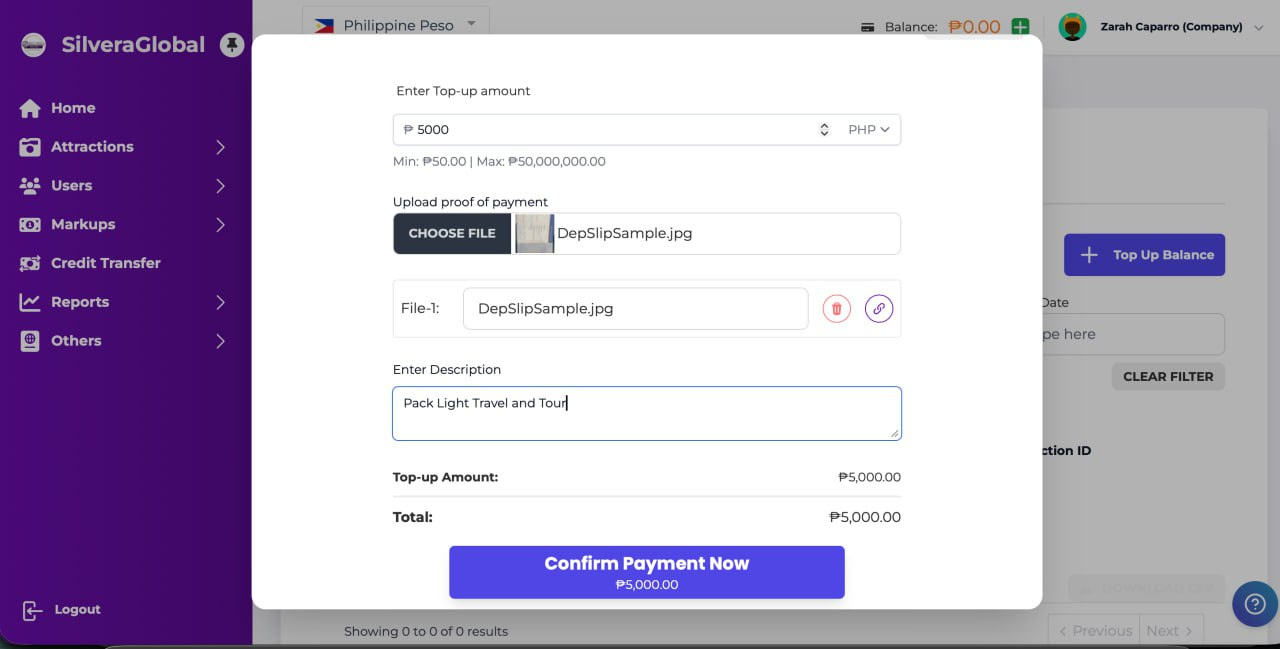
📝 Payment Details

Top-Up: Fill In Payment Details

1💵 Enter your desired top-up amount (min ₱50, max ₱50M)
2📸 Upload your bank deposit slip as proof of payment
3✏️ Write your company name in the description field
4✅ Click 'Confirm Payment Now' — wait for admin approval
Payment Form 📸 Click to enlarge
💰 Maximize Profits

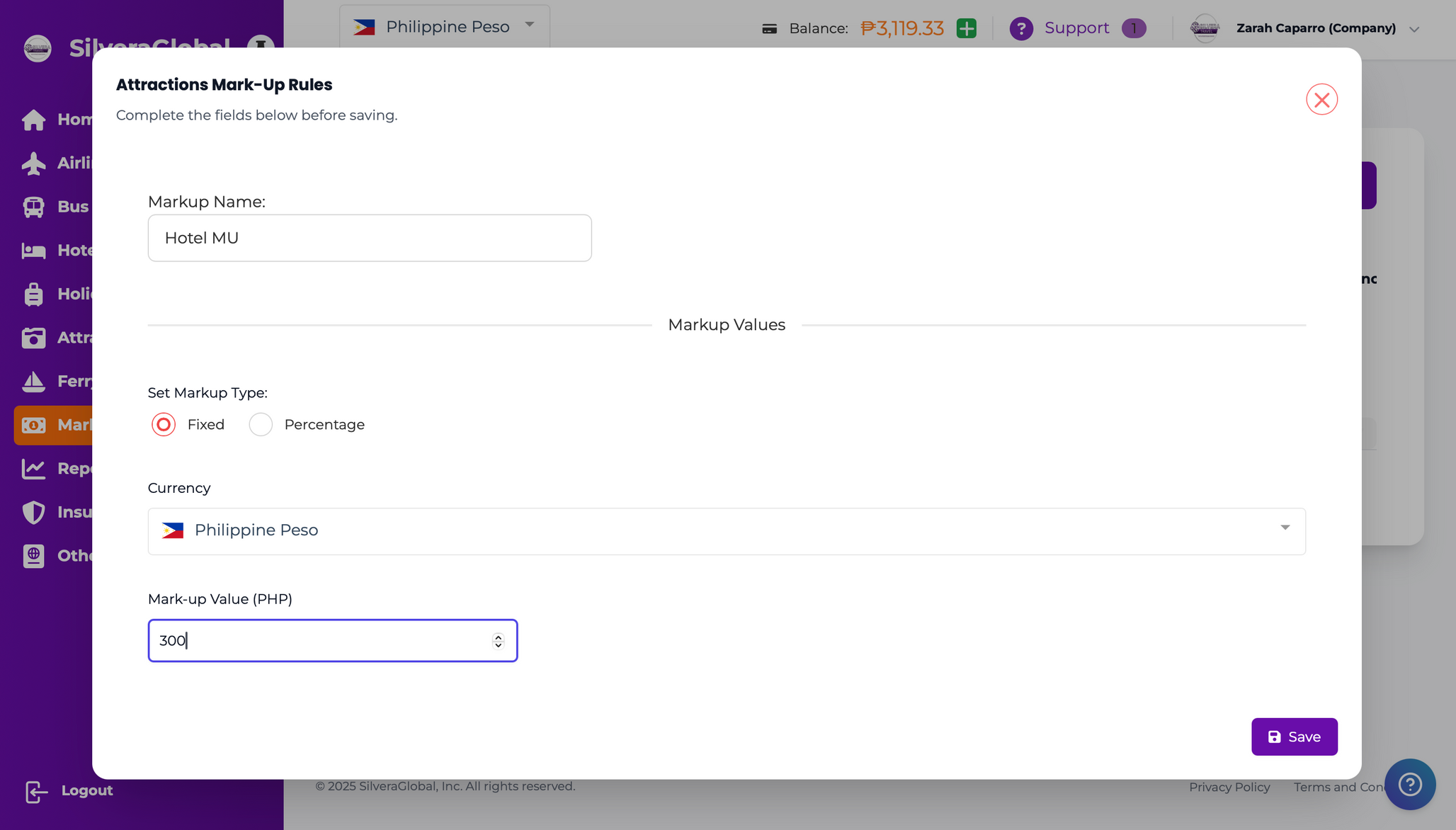
How to Create a Mark-Up

1📋 Go to 'Markups' in the left sidebar menu
2➕ Click 'Create Mark-Up' button in the top right
3✏️ Enter a name for your markup (e.g., 'Hotel MU')
4💲 Set the markup type (Fixed or Percentage) and the amount
Create Markup 📸 Click to enlarge
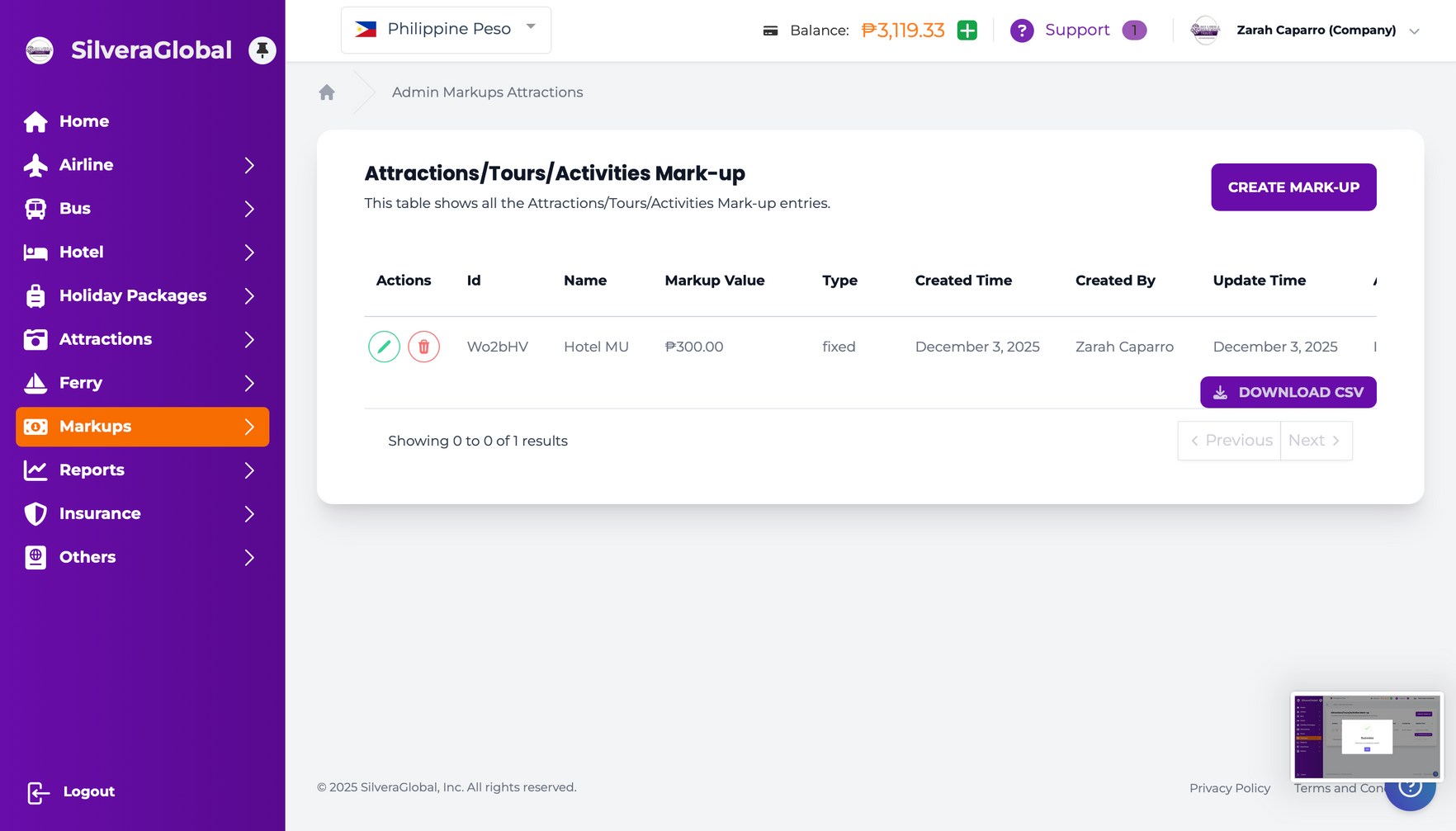
✅ Mark-Up Saved

Save Your Mark-Up

1💾 Click 'Save' to save your markup rule
2👆 Click 'OK' on the confirmation dialog
3📊 Your markup appears in the list with all details
4🎯 Markup is automatically applied to all future bookings!
Markup List 📸 Click to enlarge
🎉 Ready to Go

You're All Set for Booking!

Your wallet is topped up and ready
Your markup rules are set to maximize profits
Now let's create your first hotel booking!
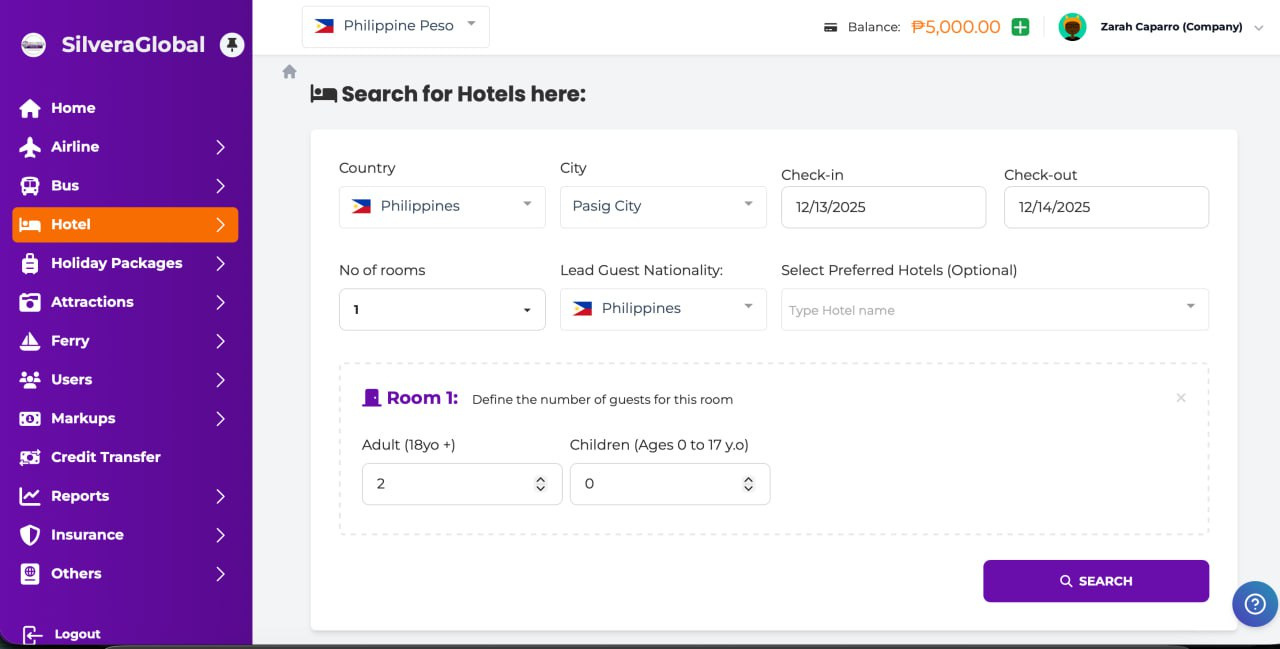
🔍 Step 1: Search

Hotel Booking: Search

1🌍 Select your destination Country
2🏙️ Choose the City
3📅 Set Check-in and Check-out dates
4🛏️ Enter rooms, adults, children & nationality
5🔎 Click 'SEARCH' to find available hotels
Hotel Search 📸 Click to enlarge
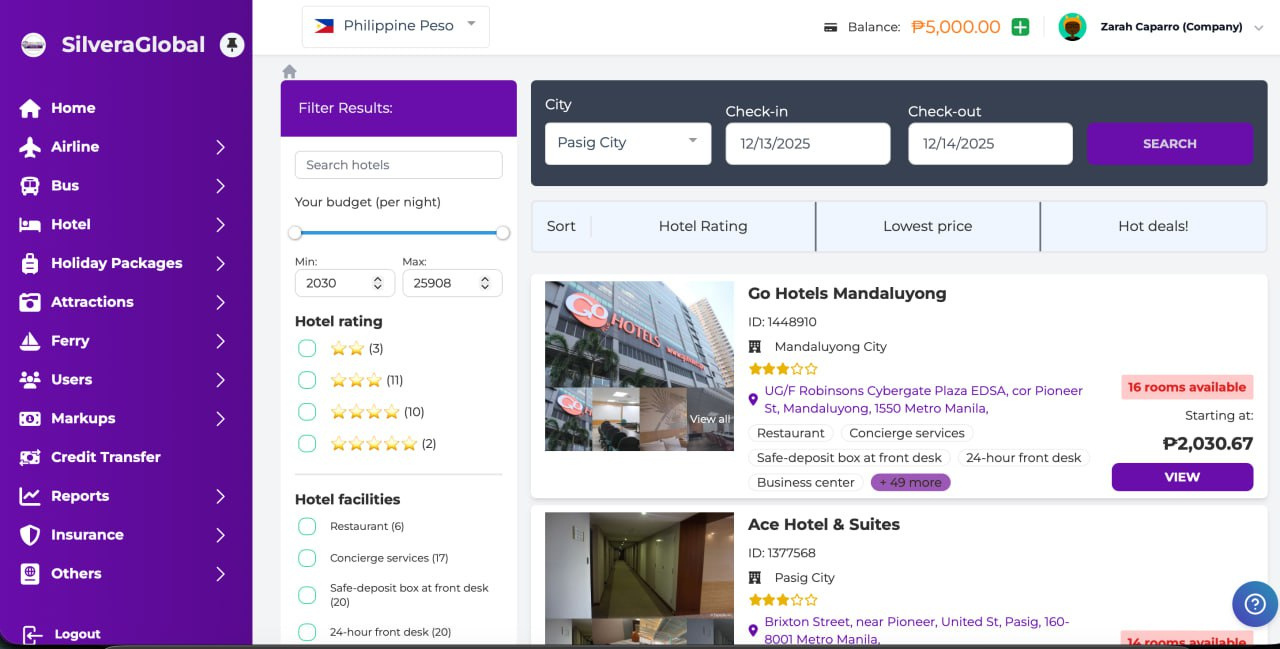
🏨 Step 2: Choose Hotel

Hotel Booking: Select Hotel

1📊 Browse results — filter by budget, stars, facilities
2👀 Click 'VIEW' to see hotel photos & amenities
3🏷️ Check the room price including your markup
4🎯 Click 'VIEW THE DEAL' to select your room
Search Results 📸 Click to enlarge
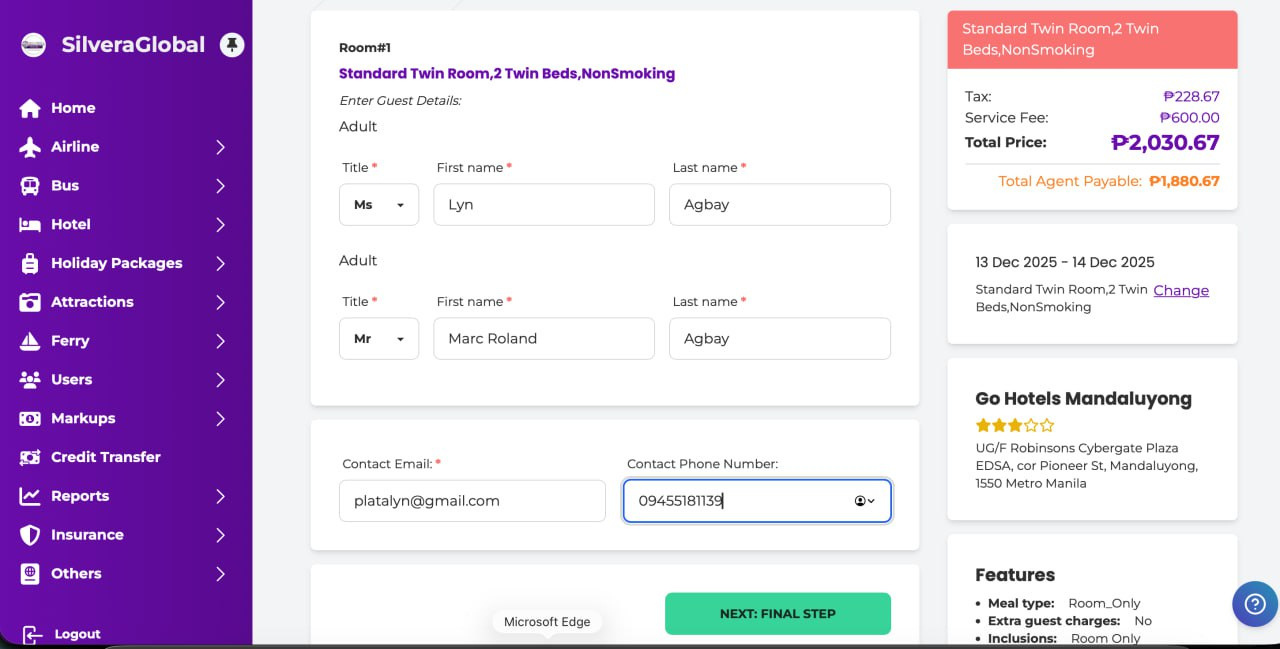
👤 Step 3: Guest Info

Hotel Booking: Guest Details

1📝 Fill in guest Title, First Name, Last Name
2📧 Enter the contact email address
3📱 Enter the contact phone number
4💰 Review: Total Price (customer) vs Agent Payable (your cost)
5➡️ Click 'NEXT: FINAL STEP' to proceed
Guest Details 📸 Click to enlarge
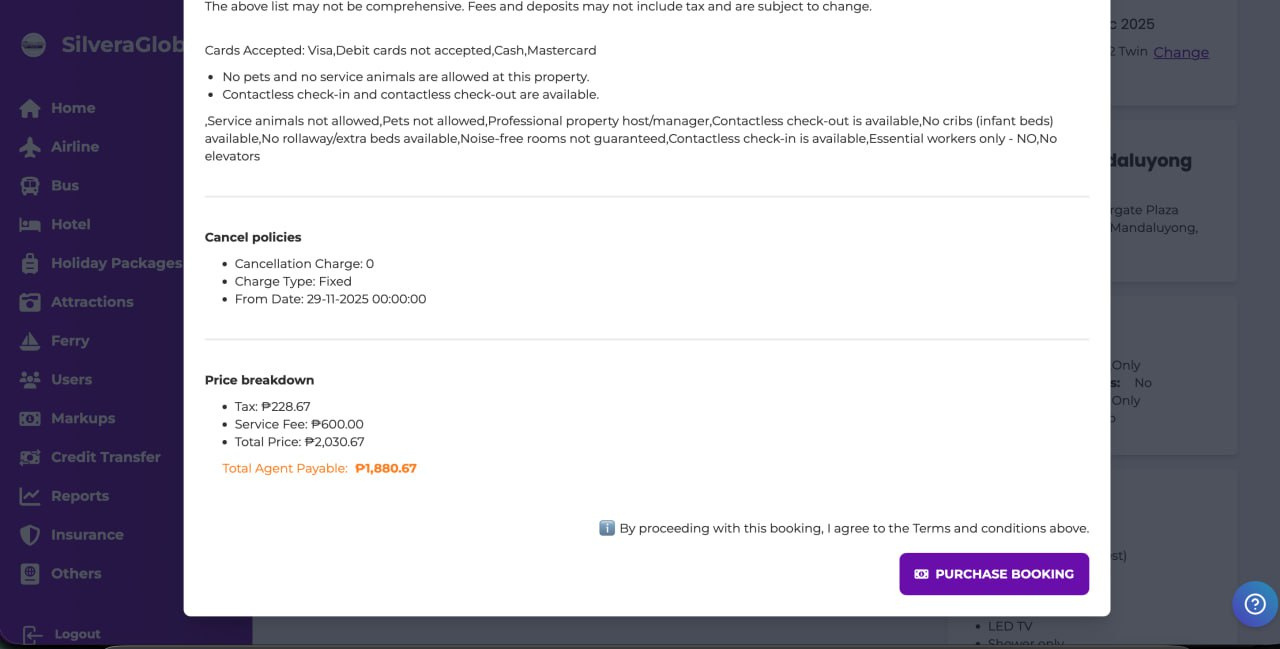
🛒 Step 4: Complete Booking

Review & Purchase

1📋 Review hotel policies — cancellation, payments, rules
2💰 Check the final price breakdown — Taxes, Fees, Total
3☑️ Agree to the Terms and Conditions
4🛒 Click 'PURCHASE BOOKING' to complete!
Review & Purchase 📸 Click to enlarge
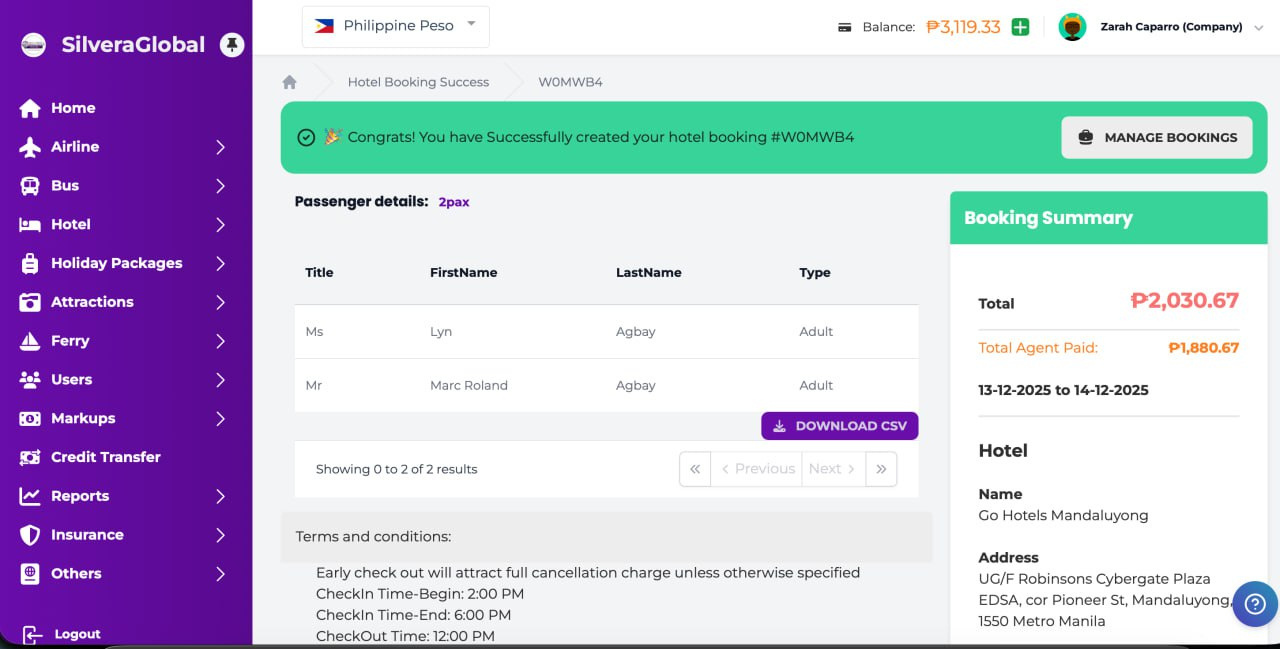
🎉 Success

Booking Confirmed!

Your booking is confirmed with a unique Booking ID
📧 Customer receives an email confirmation automatically
📄 Download the booking voucher as PDF for your customer
💰 The agent payable amount is deducted from your wallet
Booking Success 📸 Click to enlarge
📋 My Bookings

Managing Your Bookings

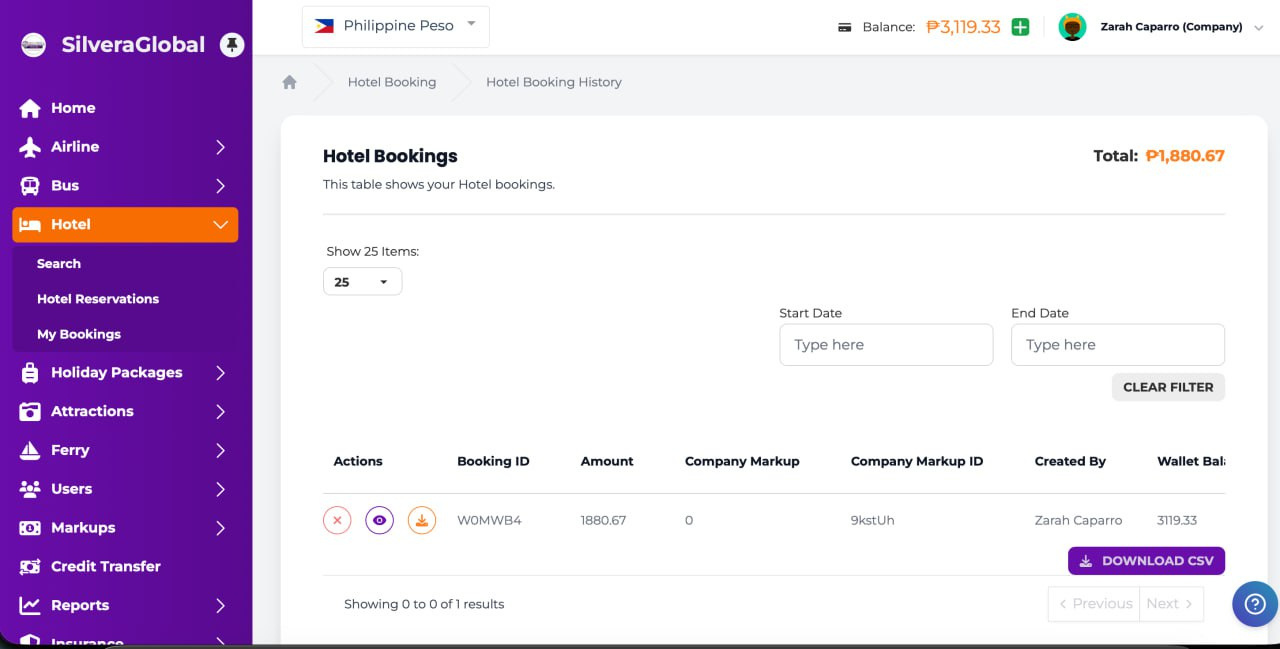
1📂 Go to Hotel → My Bookings to see all reservations
2👁️ Click Eye icon to view details and voucher
3⬇️ Click Download icon to export data as CSV
4❌ Click X icon if you need to cancel a booking
My Bookings 📸 Click to enlarge
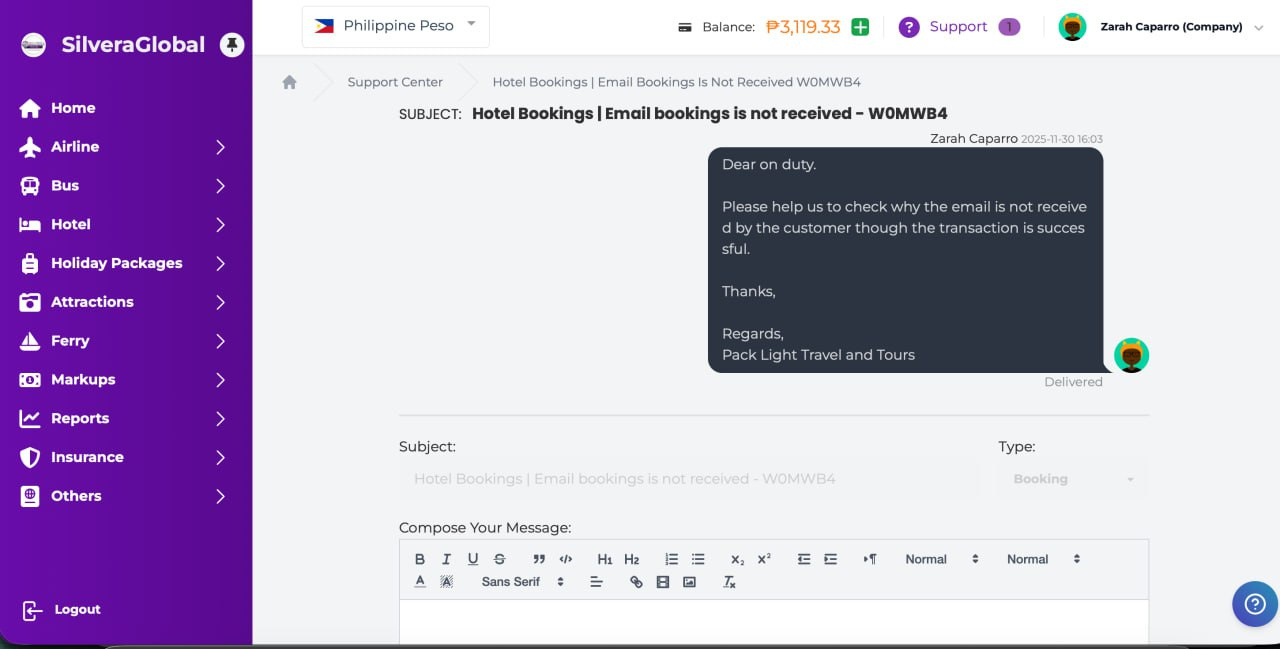
🆘 Need Help?

Getting Support

1💬 Click 'Support' in the top navigation bar
2📝 Select 'Booking Problem' as the ticket type
3✏️ Describe your issue with the booking ID reference
4📧 Or email: silvera-support@innovatehub.ph
Support 📸 Click to enlarge
💡 Pro Tips

Tips for Success

💰 Set competitive markups — not too high, not too low
📱 Use social media to advertise travel deals to your network
🔄 Keep your wallet topped up to avoid missing opportunities
📊 Track bookings and profits in the Reports section
🤝 Build client trust through excellent service and quick responses
Logo
✈️ Let's Go!

Start Booking Today!

Silvera Travel — Your Preferred Travel Solution
Powered by InnovateHub Inc.

📧 silvera-support@innovatehub.ph